The app that made me stop wondering where my money went
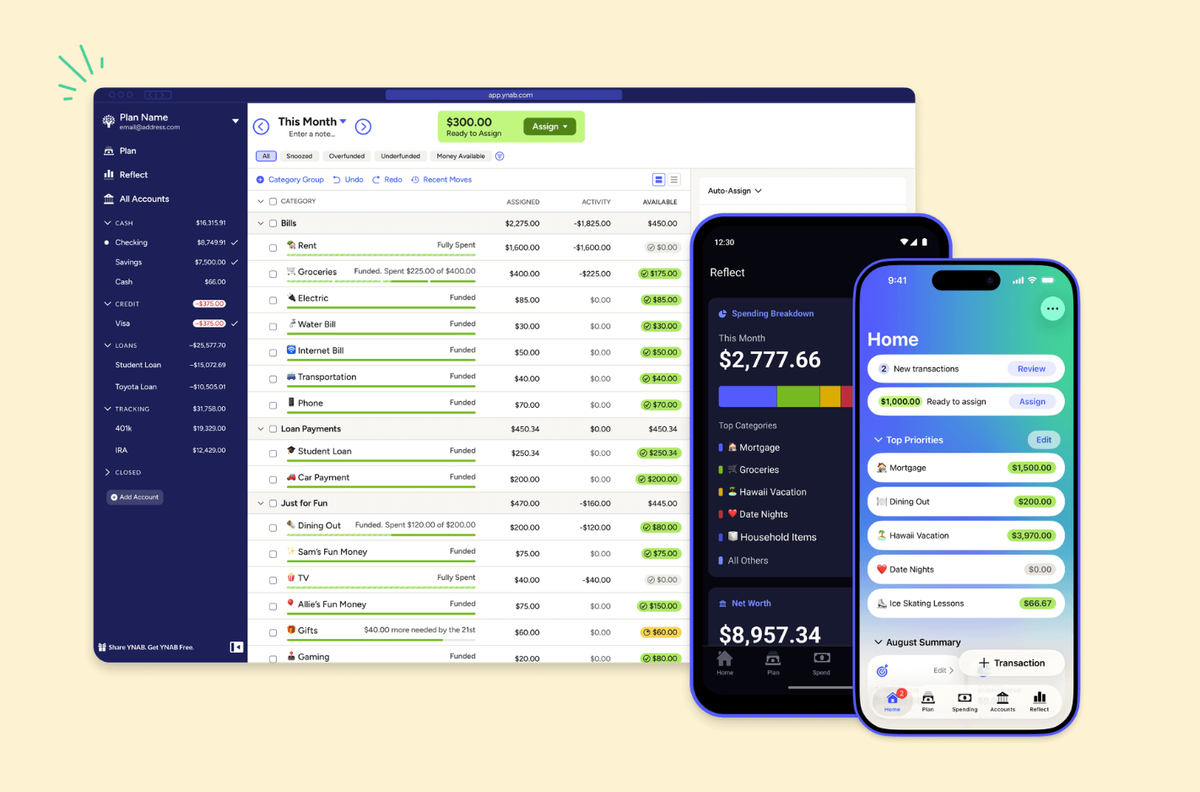
I used to check my bank balance with one eye half closed, like I was bracing for someone to jump out from behind a door. I made decent money. I didn't have extravagant habits. But every month, somewhere between the first paycheck and the last few days before the next one, a chunk of money just vanished. I couldn't tell you where. It was like having a slow leak in a tire you keep meaning to get checked.
I tried spreadsheets. I tried writing my expenses down. I tried one of those banking apps that sends you cheerful notifications about how much you spent on restaurants last month. None of it changed anything, because knowing where your money went after the fact doesn't stop it from going there again.
Then a friend told me about YNAB, and I realized I'd never actually budgeted before. I'd just been watching money leave.
Every dollar gets a job
YNAB stands for You Need A Budget, which sounds like something a disappointed parent would say. The idea is simple, though. When money hits your account, you assign every dollar to a category before you spend it. Rent. Groceries. Gas. That subscription you keep forgetting about. Once the dollars have jobs, the unassigned ones stop drifting toward late night impulse purchases.
This is called zero-based budgeting, and it felt strange at first. I was used to thinking of my checking account as one big pool I pulled from whenever. YNAB splits that pool into buckets, and once a bucket is empty, it's empty. You can shuffle money between categories, but you have to decide what you're taking it from.
That part, the deciding, is the whole trick.
The first month was uncomfortable
Setting it up took about twenty minutes. The app syncs with your bank accounts and credit cards, pulls in transactions, and asks you to sort them into categories. You can customize the categories however you want. I added one called "stuff I don't need but will buy anyway" because I believe in honesty.
The first week, I was categorizing every coffee and sandwich and wondering if I'd always been this person. By the end of the month, I had a picture that no spreadsheet had ever given me. I was blowing about two hundred dollars a month on what I can only describe as convenience fees for being disorganized. Delivery orders because I didn't plan dinner. Ubers because I left late. Duplicate purchases because I forgot I already owned something.
None of it felt reckless at the time. But two hundred dollars is two hundred dollars.
What changes after a few months
Once you budget for a few cycles, YNAB starts surfacing things the bank app never did. You can see your average spending per category over time. You can set goals, like building a buffer of one month's expenses so you're not sweating the last week before payday. The app tracks your progress and shows how close you are.
After three months, I had a small emergency fund for the first time in years. I hadn't gotten a raise. I'd just stopped ordering forty five dollar delivery dinners I didn't enjoy that much.
The reports section is what got me. Seeing a chart of your net worth ticking upward, even by a little, changes how you feel about opening the app. I actually started checking my finances on purpose, which was new for me.
It costs money, which is ironic
YNAB runs about fifteen dollars a month, or a hundred and nine a year if you pay annually. For a budgeting app, that's not cheap. There's a free trial for about a month, and college students get it free for a year.
The price is the most common complaint, and I get it. The company says new users save an average of six thousand dollars in their first year. I can't verify that number, but I can say I found way more than a hundred and nine dollars in spending I didn't know I was doing.
Who this is for
If you make enough money but somehow never have any, and you've tried the passive approach of just hoping things work out, YNAB is probably worth the free trial. Fair warning: the learning curve is real. It takes a few weeks to get comfortable, and you have to actually open the app and categorize things. You can't just install it and forget about it.
If you've ever gotten to the end of the month and genuinely could not explain where four hundred dollars went, give it the free trial month. For me it turned out to be delivery sushi and rideshares. Took about three weeks of tapping categories to figure that out, and then I felt kind of dumb for not knowing sooner.


